
DecaVault MileTrack
The Battery-Saving, Private Mileage Tracker for Taxes
No automatic GPS drain. No location tracking. Just a clean, simple IRS-compliant log in 5 seconds.
DecaVault MileTrack is a fast, manual mileage tracker built for business trips, medical visits, and volunteer work. Enter starting/ending odometers or total miles, log your destination, and generate tax-ready reports instantly from your phone or desktop.
Tired of Battery-Draining GPS Apps?
Automated tracking apps run in the background 24/7, killing your battery and harvesting your personal location data.
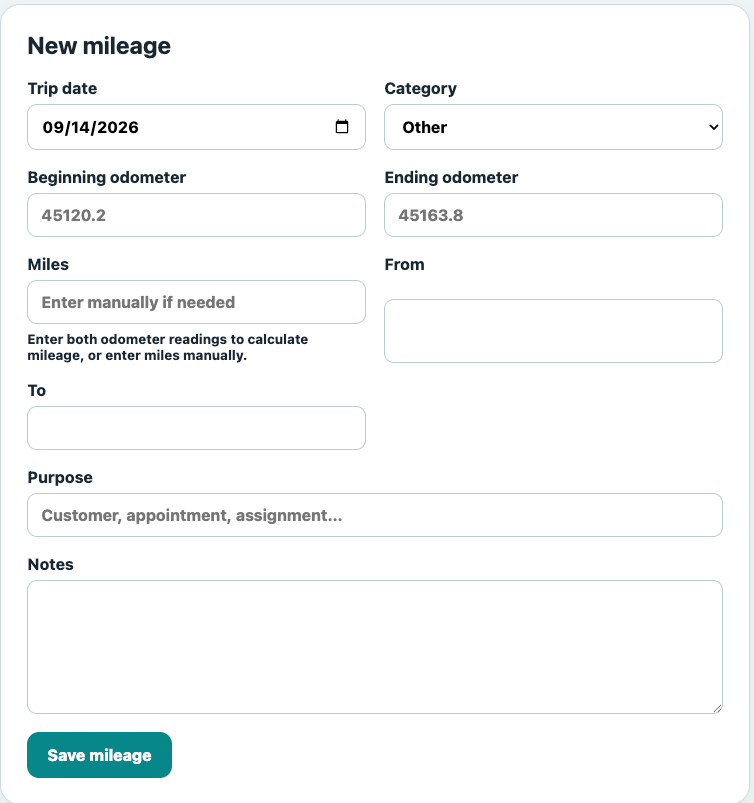
MileTrack gives you full control. Record each drive manually when it’s convenient—either via quick odometer math or direct mileage entry. 100% private, lightweight, and hassle-free.
Everything You Need for Tax Compliance
Keep the essential details required by accountants and the IRS without subscription bloat.
Odometer & Manual Entry
Log start and end odometer numbers for auto-calculated totals, or override with direct mileage counts.
From & To Locations
Keep precise starting and ending destinations attached to every drive for tax compliance.
IRS Trip Categories
Categorize trips by business, medical, volunteer, or personal to maximize your annual deductions.
Chronological History
Filter logs by custom date ranges to quickly audit past quarters or tax years.
Print & CSV Export
Export your log directly into clean PDF printouts or CSV spreadsheets for your accountant.
Cross-Device PWA
Access your log instantly on iPhone, Android, tablet, or desktop with no app store bloat.
Instant Filtering & Total Mileage Calculations
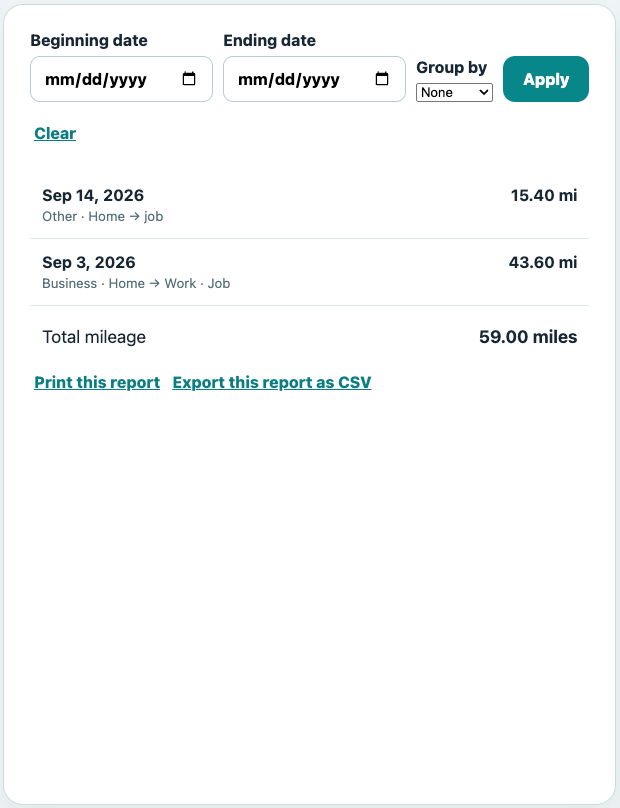
Filter your drives by custom date ranges to calculate deductible mileage totals for monthly expense reports or end-of-year tax filings.
MileTrack sums up your entries automatically, saving you hours of manual math during tax season.
3 Steps to Audit-Proof Logs
1. Quick Entry
Enter your date, starting/ending odometers (or total miles), and trip destinations.
2. Select Purpose
Categorize as Business, Medical, or Charity and add client notes if needed.
3. Export & Print
Generate clean IRS-compliant PDF summaries or CSV files in one tap.
Clean, Printable Reports for Your Accountant
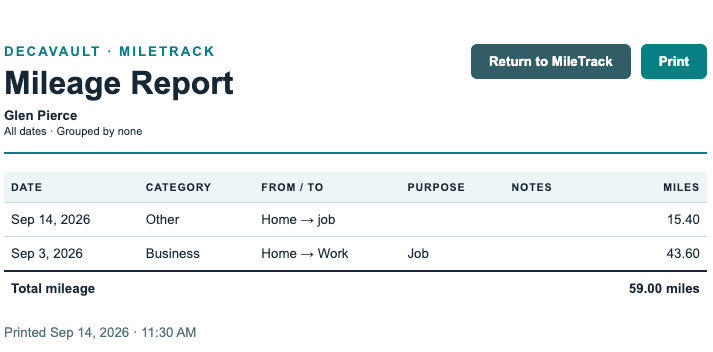
Turn your logged trips into a clean, professional report showing dates, locations, categories, and mileage totals.
Hand tax-ready summaries directly to your CPA or save CSVs for simple expense reimbursement.
Log Drives On the Go
Your mileage tracker works wherever you are.
MileTrack runs on mobile via DecaVault’s Progressive Web App, making it easy to log odometer readings right in your driveway before you forget.
Includes 9 Additional Organization Tools
MileTrack is part of the DecaVault suite. For one flat rate, you get complete access to tools for tracking private loans, rental property expenses, home asset warranties, health logs, passwords, and time management.
Stop paying for 5 separate subscriptions. Get everything organized in one secure place.
Start Tracking Your Mileage Privacy-First
Start your free 14-day DecaVault trial and keep your trips, mileage, and tax deductions organized in one simple place.
MileTrack Disclaimer: DecaVault MileTrack is an organizational and recordkeeping tool. It does not provide tax, accounting or legal advice. Users should verify mileage records and consult an appropriate professional regarding tax treatment or documentation requirements.