
DecaVault TimeTrack
Simple Time Tracker for Freelancers & Consultants
Track your time. Know what it’s worth.
DecaVault TimeTrack is a simple time tracker for freelancers, consultants and anyone who bills for their time. Record what you’re working on, track the time spent, enter your hourly rate and see the billable amount automatically.
Time Tracking Doesn’t Need to Be Complicated
Sometimes you don’t need projects, teams, schedules and complicated timekeeping software. You just need to know how long you worked and what that time is worth.
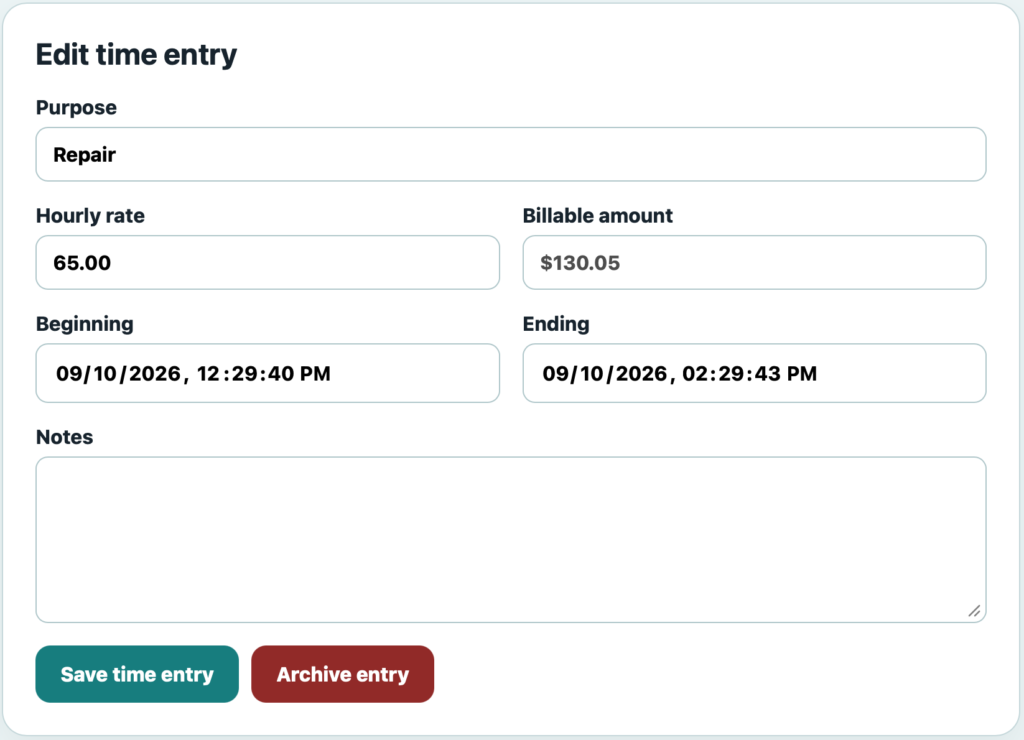
TimeTrack keeps it simple. Record the purpose of your work, track the time, assign an hourly rate and keep a useful history of your billable time.
Simple Time Tracking Without the Extra Complexity
TimeTrack focuses on the information you actually need when keeping track of billable time.
Track Time by Purpose
Describe what you’re working on so each time entry has a clear purpose, such as consulting, repair work or another billable activity.
Hourly Rate & Billable Amount
Enter your hourly rate and TimeTrack calculates the billable amount based on the time you’ve recorded.
Beginning & Ending Times
Keep the beginning and ending date and time with each entry so you have a clear record of when the work occurred.
Notes With Each Entry
Add notes when you want to keep additional information about the work together with the time entry.
Date-Range Reporting
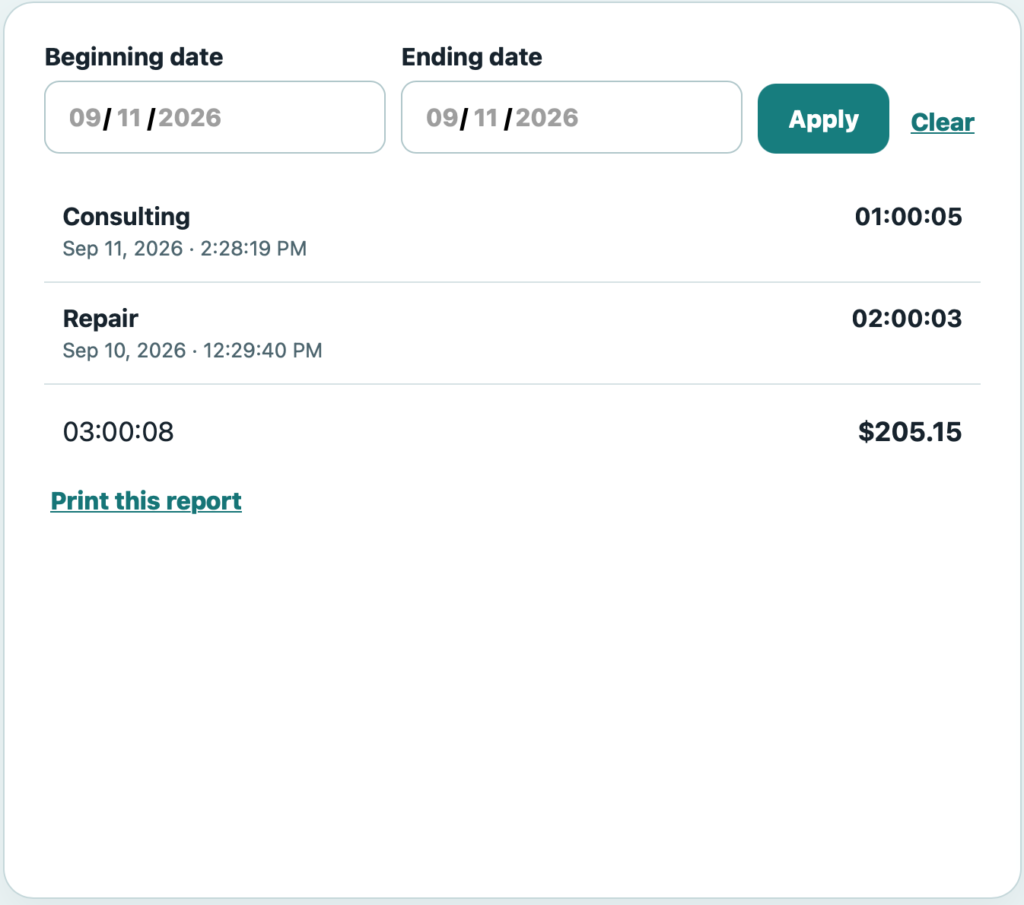
Choose a beginning and ending date to review the time entries recorded during the period you need.
Printable Time Reports
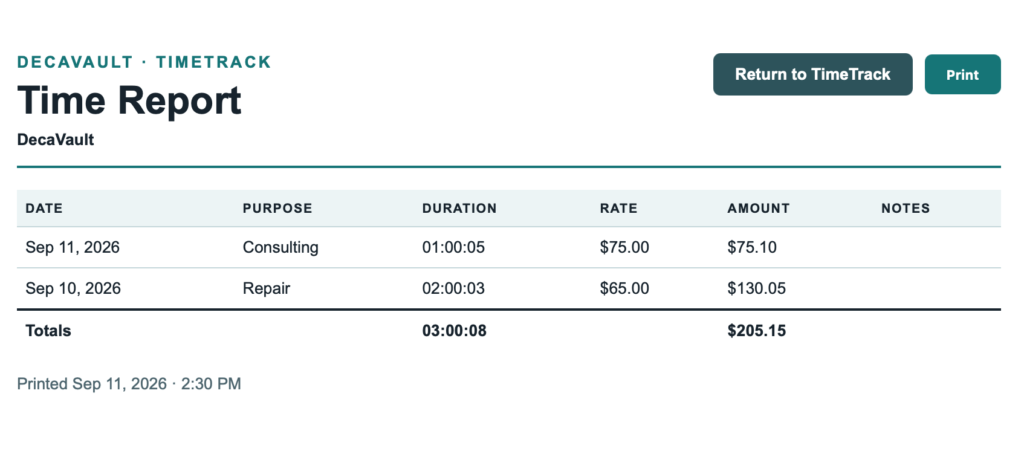
Create a clear report showing dates, purpose, duration, hourly rates, billable amounts and notes, along with totals for the selected period.
See Your Time and Earnings at a Glance
Review your recorded time for any date range and see how long you worked on each activity. TimeTrack totals the duration of the entries shown and the corresponding billable amount, giving you a quick picture of both your time and its value.
How TimeTrack Works
1. Start Tracking
Create a time entry for the work you’re doing and give it a simple purpose or description.
2. Add Your Rate
Enter the hourly rate for the work and TimeTrack calculates the billable value of the time recorded.
3. Review Your Time
Review your entries by date range and see the total time and billable amount for the period.
Print a Clear Time Report
Turn your recorded entries into a simple printable report. Each report can show the date, purpose, duration, hourly rate, billable amount and notes for the selected period, with total time and billable amount calculated at the bottom.
It’s a convenient way to keep a copy for your records or review the time behind your billable work.
More Than a Simple Time Tracker
TimeTrack is one part of DecaVault. Your account can also help you organize other important areas of everyday life, including vehicles, assets, appointments, subscriptions, passwords and more.
Instead of maintaining a separate app or spreadsheet for every category, DecaVault gives you one place to keep the details you want to remember and manage.
Start Tracking Your Billable Time Today
Start your free 14-day DecaVault trial and keep your time, hourly rates and billable amounts organized in one simple place.